Baby Monitor Temperature Accuracy: Tested & Compared
By Hana Ito • 23rd Feb
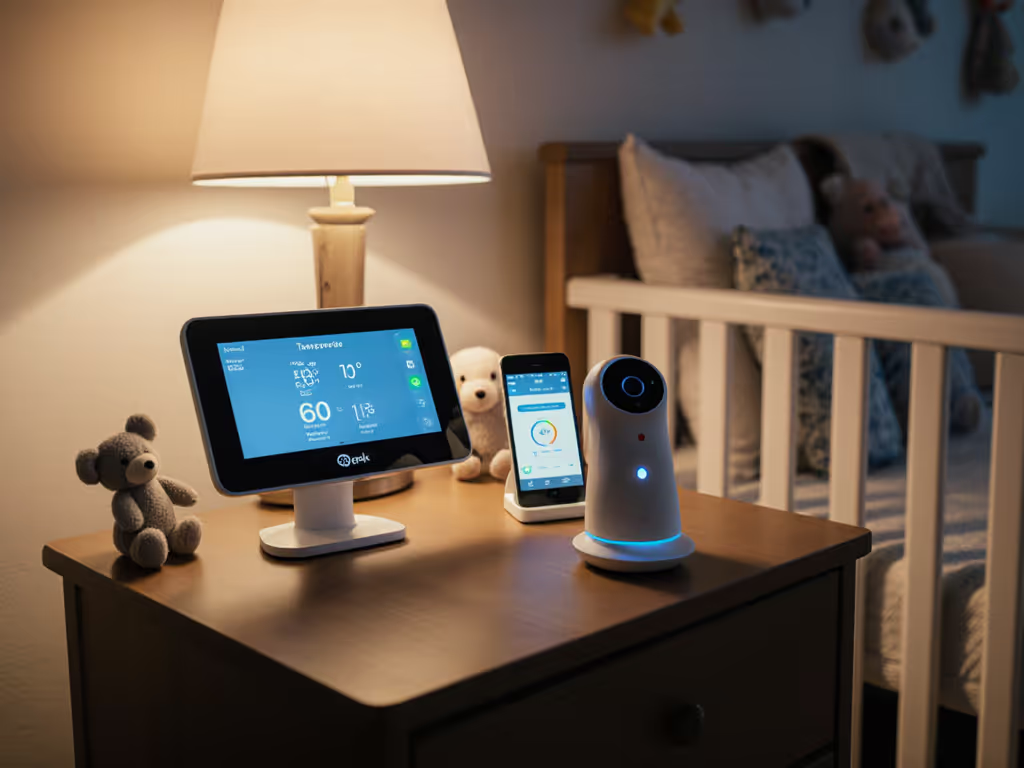
Baby monitor temperature accuracy falls short of what many parents expect, as most built-in sensors read within 2 to 4°F of actual room temperature, which is useful for spotting major shifts but not precise enough for clinical decisions[3]. If you're relying on your monitor's temperature sensor to detect fever-range changes or make heating adjustments, you're likely getting a rough estimate rather than actionable data. The real question isn't whether your monitor has a thermometer, but whether its readings serve your actual routine at 3 a.m.
The Problem: Built-In Sensors Aren't Where the Precision Lives
When new parents scan monitor specs, temperature sensing often appears as a checkbox feature: "tracks room climate," "includes humidity monitoring." In practice, these sensors play a supporting role, not a starring one. A monitor's job is to show you your sleeping baby; its thermometer is a secondary tool meant to flag whether the nursery has drifted into uncomfortable territory.
The confusion arises because we conflate two separate needs: knowing if your baby has a fever (which requires an accurate body thermometer) and knowing if your nursery is too hot or too cold (which a monitor sensor can reasonably handle). Parents often discover too late that built-in readings have a wide margin of error, and when you're managing sleep training, shift work, or a caregiver handoff, margin of error becomes a source of second-guessing[3]. To make sense of these readings and reduce second-guessing, see our room temperature accuracy guide.
One family I worked with kept getting temperature alerts on their monitor at 2 a.m., triggering worry about overheating. They'd wake to check the baby, find her perfectly comfortable, then wrestle with whether to adjust the thermostat. The alerts were technically working; the sensor was simply imprecise.
The Agitation: Why Accuracy Matters, and Where It Breaks Down
Nursery environment monitoring is real and important. Room temperature influences sleep quality, SIDS risk reduction guidelines, and your peace of mind during vulnerable nighttime hours. But the gap between "I want to know the room is safe" and "my monitor will tell me exactly what the temperature is" is where frustration sets in.
Most baby monitors feature built-in temperature sensors that provide readings within 2 to 4°F of the actual room temperature[3]. For context, clinical-grade thermometers used in hospitals aim for accuracy within ±0.5°C (about ±0.9°F), with even stricter tolerances for neonatal care[1]. A 4°F margin matters less if your room is 70°F, but it becomes significant when you're trying to hold the line at 68-72°F for optimal sleep.
The compounding problem: monitor sensors aren't standardized, aren't regularly calibrated by users, and can drift over months or years. A parent might wake at 3 a.m. to a "high temperature" alert, adjust the thermostat, reset the alert threshold, repeat, all while their actual nursery temperature hasn't meaningfully changed. The monitor created the appearance of a problem rather than solving one.
Humidity monitoring on baby monitors adds another layer of uncertainty. Some models display humidity readings but note in fine print that they aren't "clinically precise"[3], which is manufacturer-speak for "don't rely on this for health decisions."
Here's what this means in real life: At 3 a.m., fewer decisions mean more calm. If your monitor's temperature reading triggers doubt, you've added a decision: check the monitor, verify with a separate thermometer, and decide whether to act. What you actually need is confidence that your baby's room is within a safe, comfortable range.
The Solution: A Practical Handoff Between Tools
1. Use Your Monitor for Trends, Not Diagnosis
Your baby monitor's temperature sensor excels at one job: alerting you to major shifts. If your nursery suddenly becomes 10 degrees warmer (due to a closed vent, sunny window, or heating system issue), your monitor can catch that. For this purpose, environmental data accuracy to within 2-4°F is sufficient[3].
Set your monitor's high and low temperature alerts to practical thresholds: for example, alert above 75°F or below 65°F rather than micro-tuning to ±1 degree.
2. Deploy a Standalone Thermometer Alongside Your Monitor
For accuracy you can trust at 3 a.m., use an inexpensive standalone thermometer (and hygrometer, if humidity matters to your setup). These are available for under $12 and provide readings within ±1-2°F of actual conditions[3].
Place your standalone thermometer in the location that matters most (typically near the crib or in the part of the room where your baby sleeps) and check it during your daily routine, not during emergency wake-ups.
3. Create a Simple Handoff Checklist
If you're transitioning monitoring to a partner, nanny, or grandparent, write a one-line thermal guideline:
- Ideal nursery range: 68-72°F (as an example; adjust to your preference)
- When to call: if the standalone thermometer reads outside 65-75°F
- How to verify: use the standalone thermometer, not the monitor app
This removes interpretation. Your future 3 a.m. self will thank you when someone else is on duty and a temperature alert pops up, the responder knows to grab the standalone thermometer and verify before acting.
4. Understand Temperature's Role in Sleep, Without Overweighting It
Nursery temperature does influence sleep, but it's one variable among many. A room that's a few degrees off from "ideal" won't derail a well-rested baby or cause harm. The research-backed sweet spot is broadly 65-72°F for infants and toddlers, with some flexibility depending on bedding and clothing. Your monitor can help you stay in that window; don't let its imprecision convince you that every half-degree matters.
5. Leverage Humidity Data Thoughtfully
If your monitor displays humidity, treat it as a broad indicator: "Is the room dry, normal, or muggy?" not "is it exactly 45% humidity?" For year-round stability in changing seasons, explore our humidity-resistant monitors. For deeper humidity control, relevant if you have a baby with congestion or if you live in a very dry climate, a standalone hygrometer (often bundled with a thermometer) gives you a more reliable check.
The Real-World Trade-Off
Built-in monitor sensors are a convenience, not a replacement for dedicated tools. They save you from buying five thermometers if you have multiple rooms or homes. But they're calibrated for general monitoring, not precision.
Parents in dense apartment buildings, homes with thick walls, or mixed-use spaces often find that room temperature varies significantly between the monitor's camera location and the crib. A monitor mounted high on a wall might read differently than a thermometer at crib height. This isn't a flaw; it's physics. For best results, follow our monitor placement guide to position sensors for truer readings. Understanding this gap prevents false alerts and unnecessary intervention.
Choosing a Monitor: Temperature as One Input Among Many
For a complete checklist of priorities, read our baby monitor features guide. When evaluating baby monitors, don't let built-in temperature sensing tip your decision. Instead:
- Prioritize the monitor's core functions: video quality, temperature sensor reliability in your specific home layout, alert responsiveness, and ease of use during sleep-deprived handoffs.
- Treat temperature sensing as a bonus feature, not a deciding factor.
- Ask yourself: "If this sensor were less accurate, would I still want this monitor?" If the answer is no, the monitor may be over-engineered for your actual needs.
One family I supported was caught between two monitors, one with excellent night vision and local-only privacy, another with a pricier "smart" temperature feature and cloud storage (which they didn't want). They chose the first, added a $10 thermometer, and never looked back. The simpler setup meant fewer things to debug at 2 a.m., and they actually used the temperature data because it wasn't buried in a cluttered app.
The Takeaway: Simple Trumps Spec Sheets
Baby monitor temperature accuracy matters in the context of your routine, not as an isolated metric. A monitor that tracks room climate within 2-4°F, paired with a standalone thermometer you actually check, outperforms a high-spec sensor that you second-guess or ignore because its readings don't match your gut feeling.
The monitors tested by real parents consistently show that reliability beats precision when it comes to built-in sensors[3]. What changes behavior is knowing you have a backup, a clear threshold, and a handoff plan that your partner or caregiver understands in 30 seconds.
Your future 3 a.m. self will be grateful for a monitoring setup that simply works: one where a temperature alert means "check the standalone thermometer" rather than "open the app, adjust settings, second-guess yourself."
Next Steps: Setting Up Your Temperature Monitoring System
If you're building or refining your nursery monitoring setup, consider these actionable next moves:
- Audit your current monitor. Check where its temperature sensor is located and compare a few readings to a standalone thermometer. Note the typical difference.
- Invest in one quality standalone thermometer. Look for models with a simple digital display, low-battery alerts, and min/max tracking. Position it where your baby actually sleeps.
- Set realistic alert thresholds on your monitor. Narrow, hair-trigger alerts exhaust you; wider, practical ranges protect your baby without constant noise.
- Write your temperature handoff note. One line: the ideal range, when to escalate, how to verify. Tape it to the monitor or send it to your caregiver.
- Revisit after two weeks. Have the alerts been useful, or have they created noise? Adjust accordingly.
Temperature monitoring is a tool in service of your family's rest and confidence, not a source of second-guessing. Keep it simple, verify with a standalone thermometer, and move on, because at 3 a.m., your mental energy matters more than your monitor's precision.